Add Content
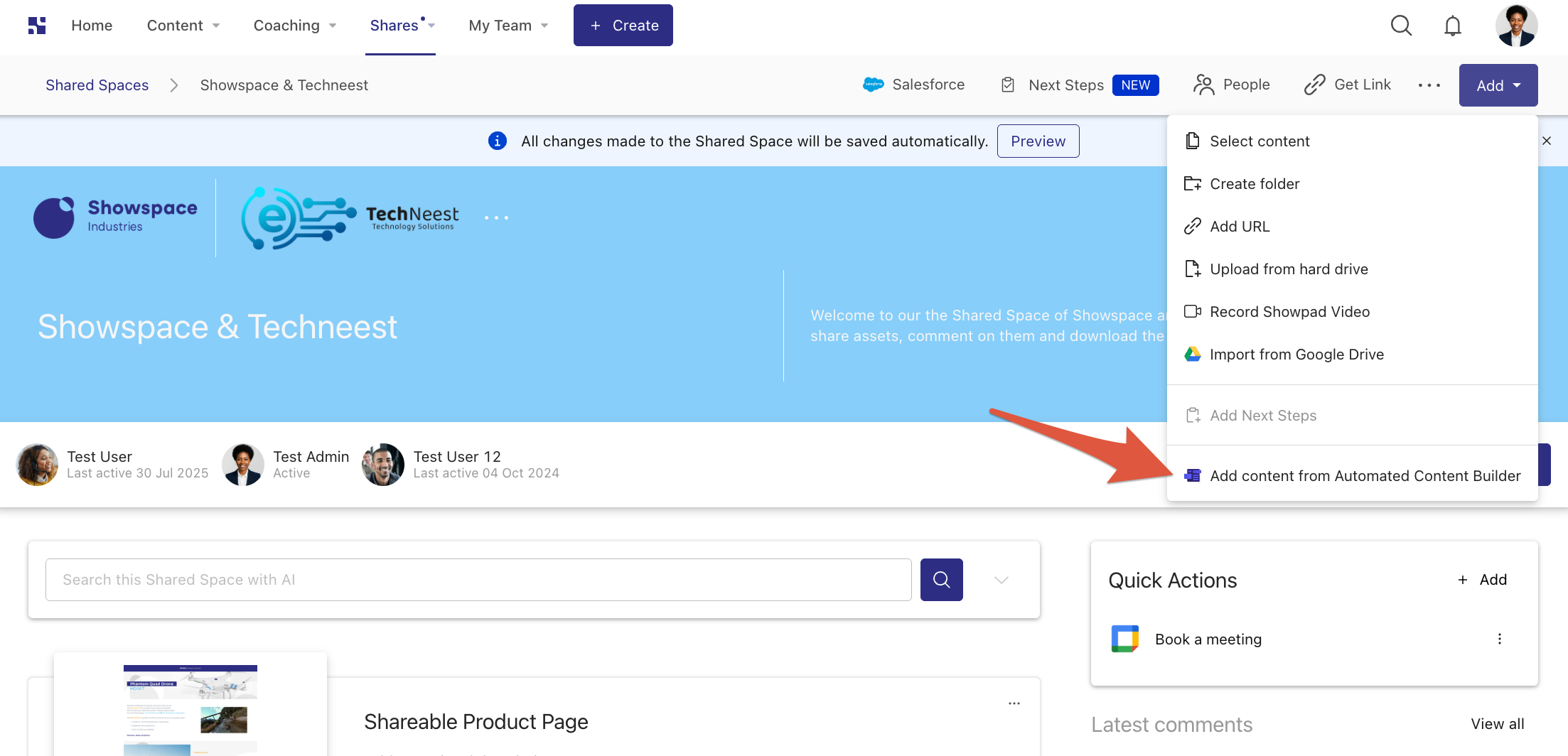
The Add Content extension adds a custom item to the Add dropdown menu in:
- Shared Spaces
- My Files
- Collections (when creating a new Collection)
What you'll learn:
- What the Add Content extension does and where it appears in the Showpad platform
- How to declare it in your
manifest.jsonand configuresupportedContexts
Use the addContentExtensions property in your manifest to define it:
"addContentExtensions": [
  {
    "extensionKey": "my-add-content-extension",
    "name": "My Add Content Extension",
    "description": "Extension description",
    "icon": "extension-icon.png",
    "supportedContexts": [
      "sharedspace",
      "collection",
      "myfiles"
    ],
    "resources": {
      "folder": "add-content-extension"
    }
  }
]
note
supportedContexts accepts "sharedspace", "collection", and "myfiles". Include only the contexts where your
extension should appear.
An example of an Add Content extension surfacing in a Shared Space via the Automated Content Builder:
Next Steps
- Add a Content Extension - wire up this extension type in your app
- Manifest File - full property reference for
addContentExtensions
Was this page helpful?