Asset Viewer
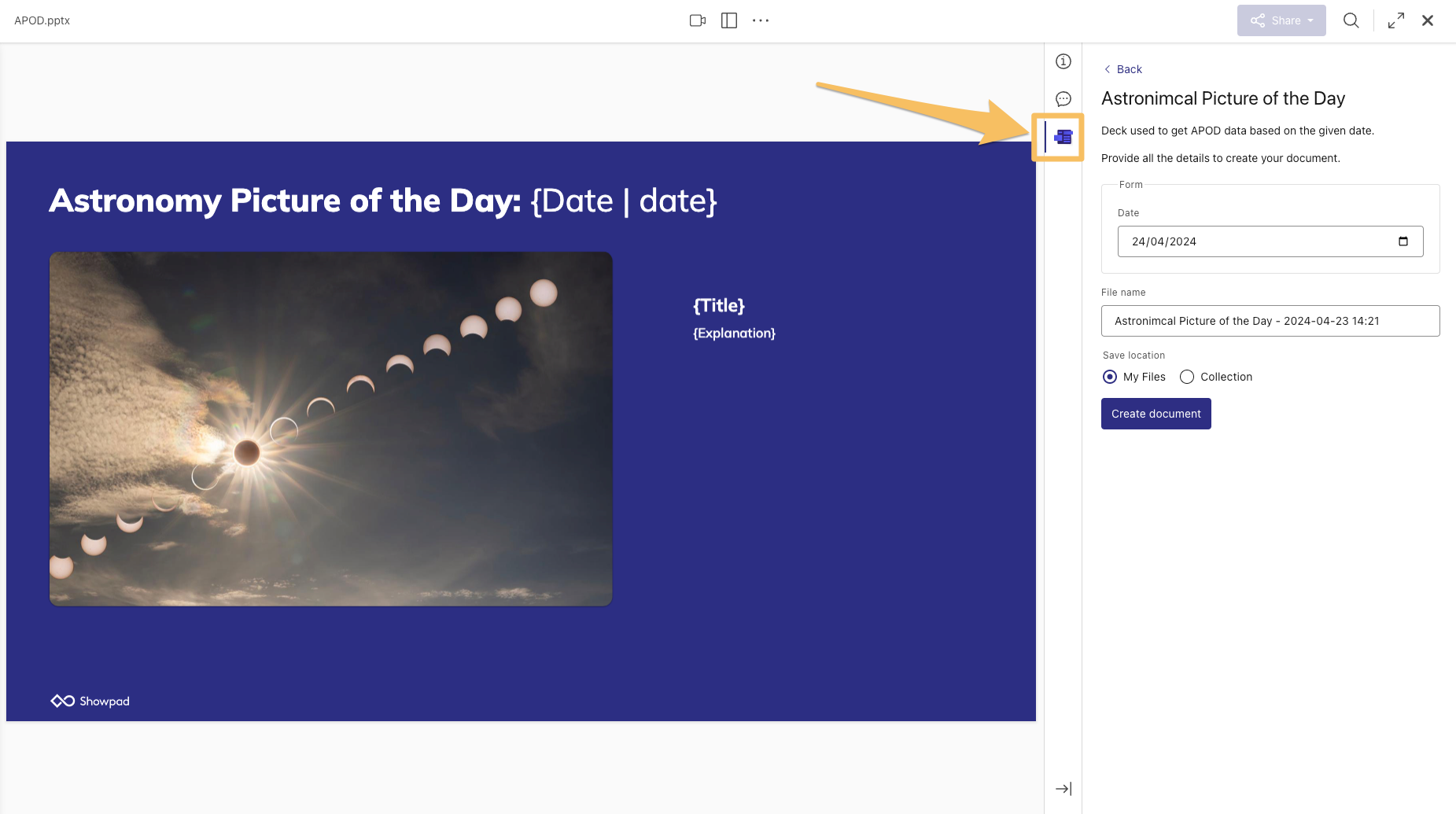
The Asset Viewer extension adds a custom panel to the Asset Viewer sidebar, letting users access additional information or functionality directly alongside any asset.
What you'll learn:
- What the Asset Viewer extension does and where it appears in Showpad
- How to declare it in your
manifest.json
Use the assetViewerExtensions property in your manifest to define it:
"assetViewerExtensions": [
  {
    "extensionKey": "augment-asset",
    "name": "My Asset Viewer Extension",
    "description": "An app that augments assets with additional information.",
    "icon": "asset-viewer-icon.png",
    "resources": {
      "folder": "asset-viewer-extension"
    }
  }
]
note
For optimal rendering in the sidebar, use a 48x48 pixel icon.
An example of an Asset Viewer extension surfacing additional asset information in the sidebar:
Next Steps
- Add an Asset Viewer Extension - wire up this extension type in your app
- Manifest File - full property reference for
assetViewerExtensions
Was this page helpful?