Shared Space
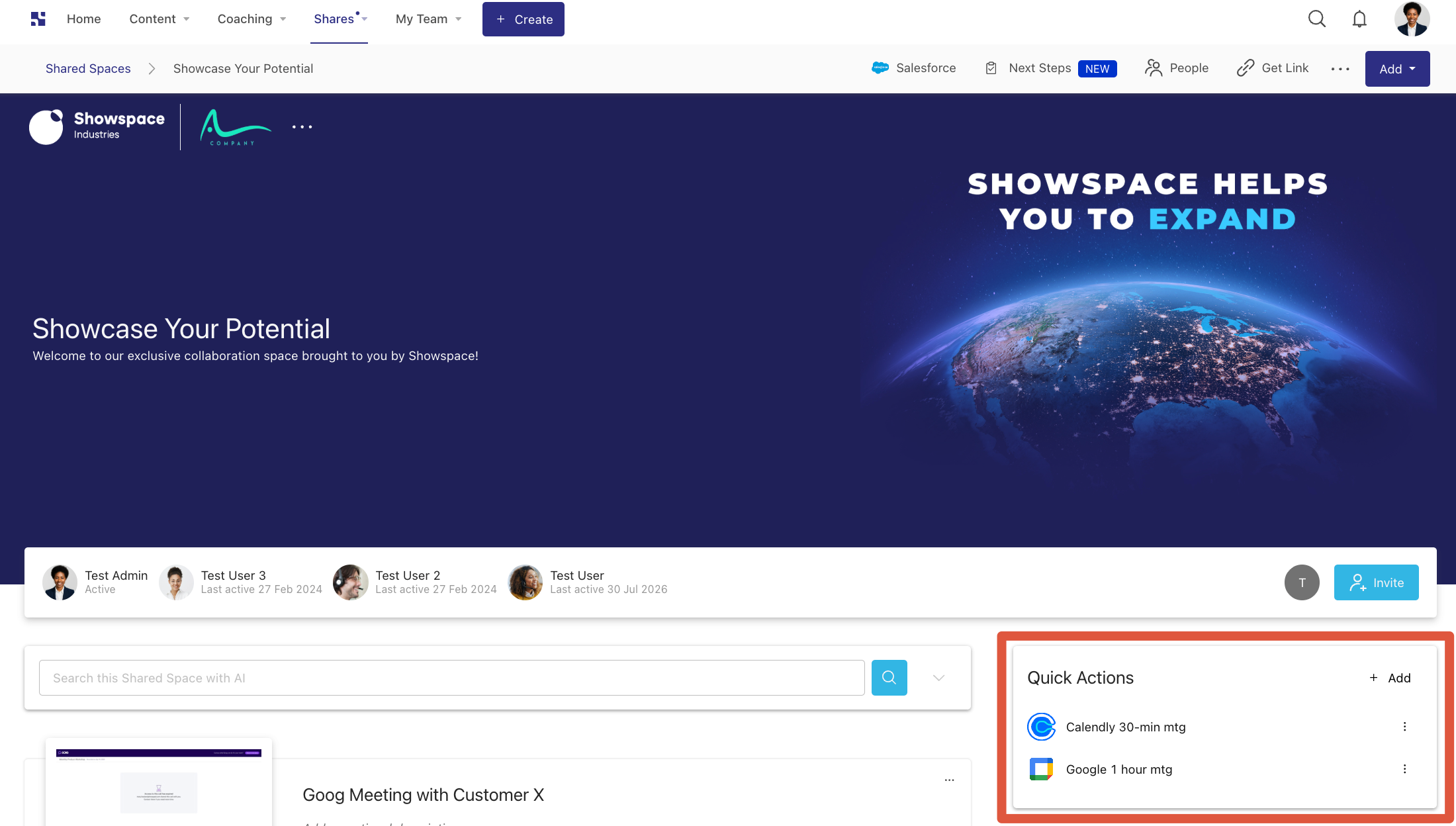
The Shared Space extension adds Quick Actions to a Shared Space. Use it to let users schedule meetings or trigger integrations directly from the sharing experience.
What you'll learn:
- What the Shared Space extension does and how Quick Actions work
- How to declare it in your
manifest.jsonand configurevalidDomains
TL;DR
- Use for: adding Quick Actions to Shared Spaces (meeting schedulers, integrations)
- Key property:
validDomains— list the hostnames your extension renders (e.g.,calendly.com) - Multiple actions: include multiple entries in the
sharedSpaceExtensionsarray
Use the sharedSpaceExtensions property in your manifest to define it:
"sharedSpaceExtensions": [
  {
    "extensionKey": "{your-app-key}",
    "name": "{Your Shared Space Extension}",
    "description": "{Description of Your Shared Space Extension}",
    "icon": "{your-icon-name}.svg",
    "validDomains": ["{your-domain.com}"]
  }
]
note
validDomains controls which URLs are allowed to load inside the iframe. Any domain your extension renders must be
listed here.
You can include multiple Quick Actions within a single app. Here is an example manifest.json with six different
calendar scheduling sharedSpaceExtensions:
An example of a Quick Action rendered in a Shared Space:
Next Steps
- Add a Shared Space Extension - wire up this extension type in your app
- Manifest File - full property reference for
sharedSpaceExtensions
Was this page helpful?