Content Picking and Sharing
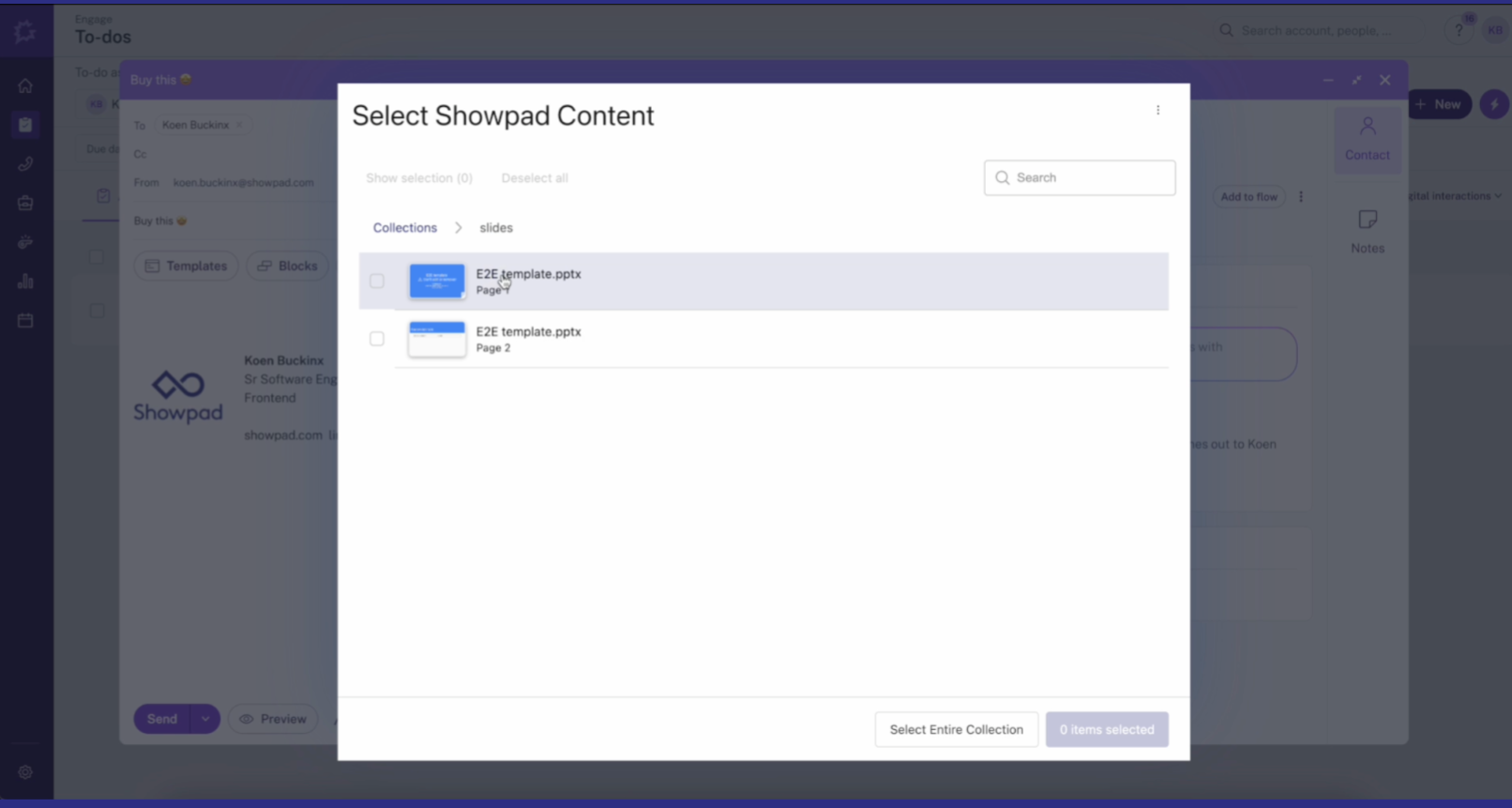
This integration is designed to seamlessly embed Showpad within other applications enabling your sales teams to intuitively browse for content, quickly select relevant materials, and share them in just a few clicks. Typical use cases are:
- Inserting a Showpad sharing link into a third party platform for which Showpad doesn't yet provide out-of-the-box integrations.
- Surfacing Showpad content search into your own platforms.
- Embedding a content picker in Showpad Apps.
- Install SDK?
npm install @showpad/content-picker - Authenticate? Use OAuth2 Authorization Code Flow with user's subdomain
- Create shares? Call the Shares API with selected assets
- Plan: Ultimate | Advanced or Expert
- Permissions: Administrator or Promoted Member account
- Config: An OAuth client
The content picker for integrations has the same features as it does within the core Showpad platform, allowing the seller to search, browse and navigate Experiences, access their collections or personal content, and more.
Key benefits
The picking and sharing integration:
- Provides the same robust content browsing and picking capabilities as Showpad's Web App and out-of-the-box integration solutions
- Handles all of the communication with the Showpad API and returns information about the selected files via a JavaScript callback
- Can be integrated as a popup or a sidebar (min width: 320px)
Process overview
In a typical integration, you will host the service on your own servers. The service will:
-
Obtain the subdomain - Get the correct Showpad subdomain. This is particularly useful if the integration is to be used by multiple Showpad instances.
-
Authenticate - Obtain an OAuth access token. For integrations used by multiple Showpad instances, this typically begins with an HTML form where users enter their Showpad subdomain.
-
Render the picker - Use the Content Picker SDK to render a UI where users can select Showpad content.
-
Create shares - Interact with the Showpad API or provide your own asset-based functionality to generate a tracked link of Showpad content to share.
Authentication
A content picker lives in the context of:
- a specific Showpad organization (subdomain)
- a specific user within that organization.
These two elements determine which content to surface to the user.
OAuth Credentials
Your integration must have permission to access your Showpad content. We recommend using OAuth2 with the Authorization Code Flow with a user entering their Showpad subdomain.
This OAuth client only requires viewing permissions.
Authorization URL
Within a third-party (e.g., Gong) hosted page, you can load a static Showpad HTML form that submits an authentication URL to your server. This page is typically loaded from a browser popup window.
To submit this form, you must construct a authorization URL containing your client ID and Showpad subdomain.
OAuth, Redirect, and Callback
-
Open a window. This is typically initiated with a JavaScript
window.openmethod or in an iframe. -
Load the subdomain input page with a form (HTML frontend).
-
Construct the URL to initiate OAuth flow for the user.
-
Provide a callback endpoint to catch users returning from OAuth flow and perform a token exchange. We suggest using the OAuth
stateparameter or some session storing mechanism to ensure the user's authentication information isn't lost and to avoid repeating each time. -
Send user-chosen subdomain and obtained access token back to window opener (additional HTML frontend).
-
The user is directed to Showpad for login and authorization. Once done, the user is returned to your site with an authorization code in the URL.
-
The third-party host performs an exchange (authentication token and client secret) to get an access token, then sends the subdomain and access token back to the popup page.
-
Once the subdomain and token are obtained, you can use the Content Picker SDK from npm to spawn a content-picker UI.
Content Picker SDK
The Content Picker SDK renders a content picking UI. You can install it into your project from npm:
- npm
- yarn
- pnpm
npm install @showpad/content-picker
yarn add @showpad/content-picker
pnpm install @showpad/content-picker
Once installed, you can use it in your projects:
Showpad API
Once the content picker is in place, you're ready to call the Showpad API to create a Share and enable users to select and share Showpad content.
Content Picker Example
You'll find an example content picker in this GitHub repository.
Was this page helpful?